One plan. Everything included.
A monthly subscription plus a small share of each order — so we only do well when your tables are busy.

Menufolk
Starting at
€50/ month per venue
No setup fee. No hardware. Cancel any time from your dashboard. Prices exclude VAT.
Talk to us — we’ll set you up
Online signup is opening soon. Leave your details and we’ll get you started in person.
Included:
- QR ordering at every table — no app, no signup
- Real-time kitchen screen
- Live floor view with table status
- Apple Pay & Google Pay at the table
- All 14 EU allergens, structured, on every item
- Staff accounts for the kitchen screen
- Payments direct to your own Stripe account
- In-person setup and printed QR codes — we come to you
- A small share of each order — food only, never on tips. Your exact rate is agreed with you directly.
Everything included, in detail.
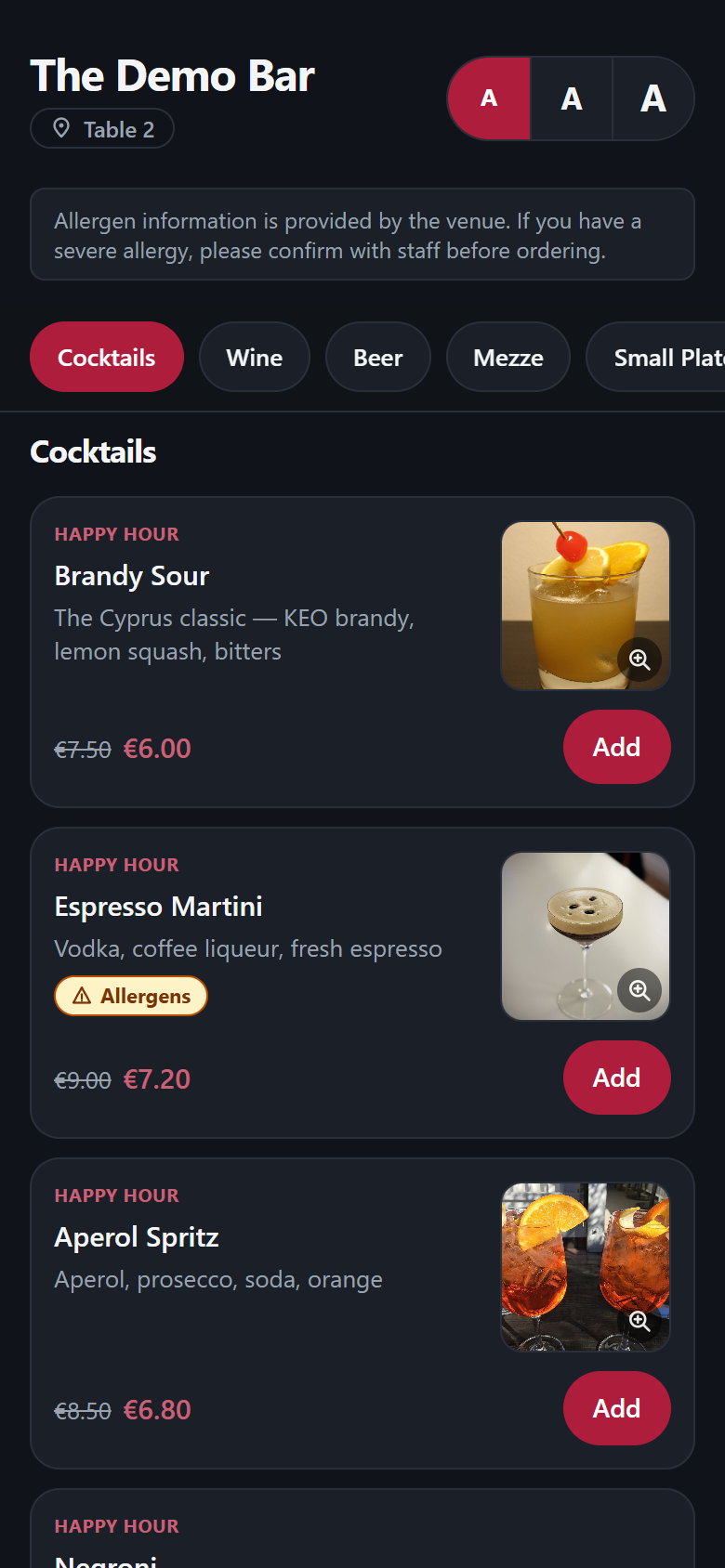
At the table
- QR ordering
- The code on the table opens your menu in the diner’s own browser — no app, no signup, nothing to install.
- Your menu, your look
- Themed to your venue from curated presets that are guaranteed readable, even in full sun.
- Accessible by default
- Diners get text-size controls, and all 14 EU allergens are shown on every item before they order.
- Apple Pay & Google Pay
- Card or wallet, paid at the table in seconds — no waiting for the bill.
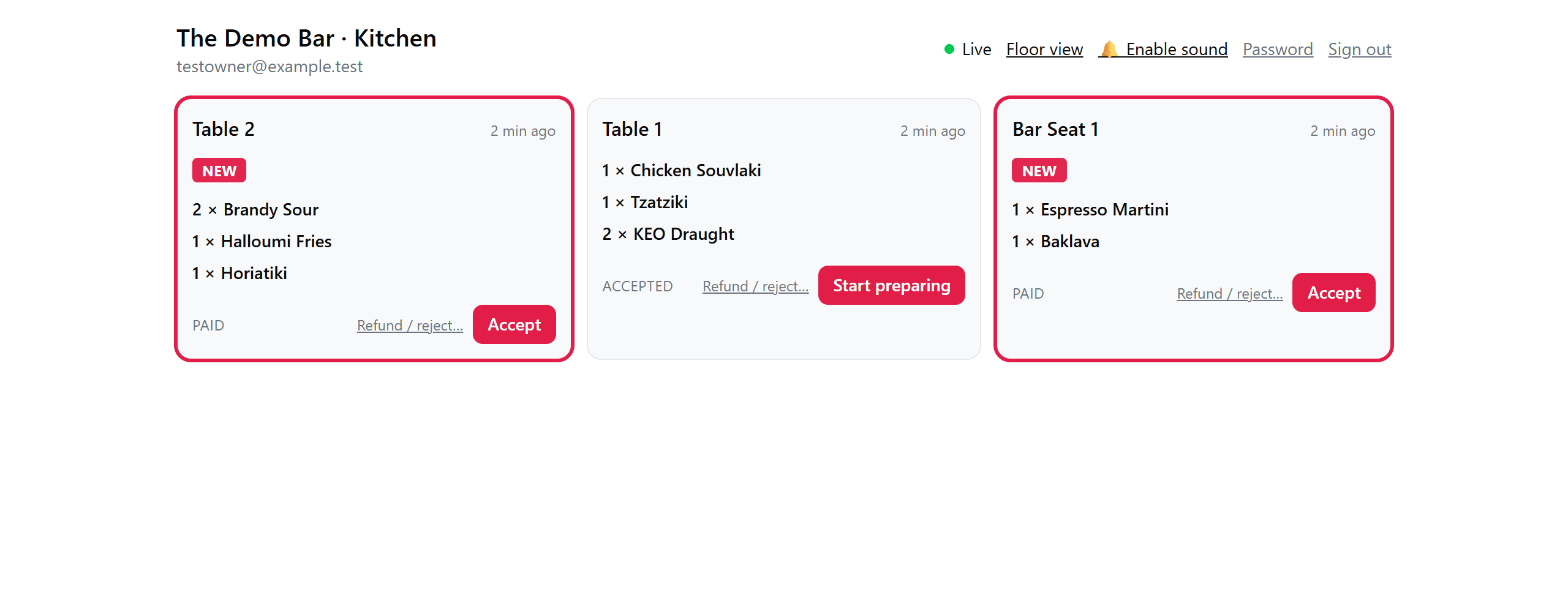
For the kitchen and floor
- Orders arrive in real time
- New orders appear on the kitchen screen the moment they’re paid — no polling, no refreshing.
- 86 in one tap
- Sold out of something? One tap and it disappears from every table’s menu at once.
- Live floor view
- See which tables are seated and which are free, worked out from live order activity.
For the owner
- Payments settle to your Stripe account
- You’re the merchant of record — the money goes straight to you and never passes through us.
- Today’s sales per table
- Food sales and tips for the day, at a glance, per table.
- Staff accounts with roles
- Kitchen-screen logins for your team, with owner-only controls kept separate.
- Money figures stay owner-only
- Staff see orders and operations — never your revenue.
- In-person setup
- We come to you: menu, tables, printed QR codes, staff accounts, payments.
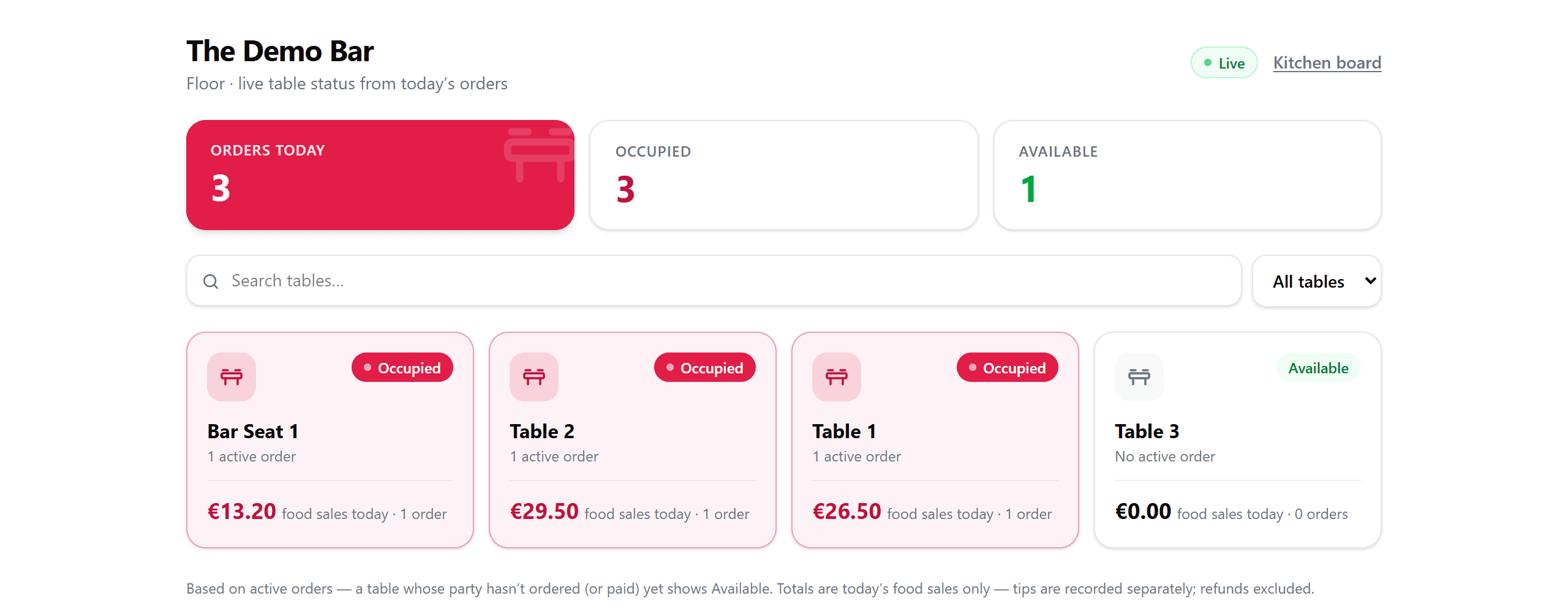
Every screen above is the real product — nothing here is a mockup.
Questions owners ask.
- Do my customers need to download an app?
- No. The QR code on the table opens your menu in the phone’s own browser — they scan, order and pay right there.
- Do I need new hardware or a new till?
- No. Any phone, tablet or laptop with a browser works as the kitchen screen, and it runs alongside whatever till you use now.
- How does the money reach me?
- Payments go straight to your own Stripe account — you’re the merchant of record. We never hold your money.
- What about tips?
- Tips go to you in full. Our share is calculated on food only, before any tip exists, so it structurally cannot touch them.
- Do I need a Stripe account already?
- No — connecting payments is part of setup. Stripe verifies your business details on their secure form, and payouts land in your bank account.
- Can I cancel?
- Yes, any time, from your dashboard. No minimum term. Your menu stays visible to diners; table ordering pauses if the subscription ends.
- What if my internet goes down?
- Ordering runs in the cloud, so diners on mobile data can usually still order — but your kitchen screen needs a connection to show new orders. If your wifi drops, take orders the old way; anything placed meanwhile is saved and appears when the screen reconnects.
- What does setup involve?
- We come to you: we build the menu with you, set up your tables, bring printed QR codes, create staff logins and connect payments. Most venues are live the same day.
- Who can see my sales figures?
- Only you. Staff accounts see orders and table status — money figures are owner-only across every screen.
- Can I refund an order?
- Yes. Owners can refund any order from the kitchen screen — the diner gets their money back on the card they paid with, tip included. Staff can flag an order for your approval.
- What language is it in?
- Your menu is yours — write items in Greek, English, or both. The app’s own buttons are currently in English.
Prefer to talk first? Ask us to visit — we set venues up in person across Cyprus.